Skip to header Skip to main navigation Skip to main content Skip to footer
  • Log in
Home
DrupalVIP
Freelancer service with great care and enthusiasm.
  • Home
  • Products
  • Blog
  • Support
    • Dictionary
    • Drupal Resources
    • External Resources

React useState

Breadcrumb

  • Home
  • React useState

React useState

Displaying 1 - 4 of 4

How to pass a Function as a Prop

Props or properties in react are a functional argument by which different components communicate with each other. 
Props is just a data/information that allows us to pass in JSX tags. 
With the help of props, we can pass values like JavaScript objects, arrays or functions, etc.

DrupalVIP technical notebook & support

React Props
React Example
React Component
Code Snippet
React useState
React
React JS
Code Example
Module Development
Front-End
Drupal FrontEnd
Code Snippet
import React from "react";

function Course(props) {
  return (
    <div>
      <ul>
        <li>{props.courseName}</li>
      </ul>
    </div>
  )
}

function App() {
  return (
    <div>
      <h1>Guvi Courses</h1>
      <Course courseName="Full Stack Development"  />
    </div>
  );
}

export default App;


React & Drupal: Editable fields for inline content editing (on display mode)

Inline editing allows users to edit content without navigating to a separate edit screen. 
Here I will build an example implementing an accessible inline edit component in React.

DrupalVIP technical notebook & support

Drupal Support
React Example
Editable Field
React useState
Inline Editing
Code Example
React useRef

Fetching data using inbuilt fetch API

All modern browsers come with an inbuilt fetch Web API, which can be used to fetch data from APIs. 
In this tech article, I will to show you how to do fetching data from the JSON Server APIs.

DrupalVIP technical notebook & support

React Example
Code Snippet
response.json
React Fetch
React useEffect
React useState
React
Front-End
React For Loop
React Map
Fetch Data
Code Snippet
import React, { useEffect, useState } from "react"

const UsingFetch = () => {
  const [users, setUsers] = useState([])

  const fetchData = () => {
    fetch("https://jsonplaceholder.typicode.com/users")
      .then(response => {
        return response.json()
      })
      .then(data => {
        setUsers(data)
      })
  }

  useEffect(() => {
    fetchData()
  }, [])

  return (
    <div>
      {users.length > 0 && (
        <ul>
          {users.map(user => (
            <li key={user.id}>{user.name}</li>
          ))}
        </ul>
      )}
    </div>
  )
}

export default UsingFetch

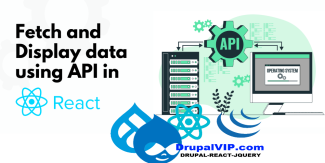
Fetch and display data from API in React js

When you develop an application, you will often need to fetch data from a backend or a third-party API. 
In this article, I will try to go through the process of fetching and displaying data from a server using React Fetch.

DrupalVIP technical notebook & support

Drupal Support
Drupal 10
React
React Fetch
React useEffect
React useState
React JS
Code Example
Code Snippet
Fetch Data
React Component
Code Snippet
import React, { useEffect, useState } from "react";

function handleClick() {
    alert('You clicked node ');
}

export default function RWTaskIssues({nodeid}) {        
    const FetchAPI = '/rwtask/issues?task=' + nodeid + '&op=get';
    console.log("api fetch: " + FetchAPI);
    
    const [issues, setIssues] = useState([]);
    const fetchData = () => {
        fetch(FetchAPI)
            .then(response => {
                return response.json();
            })
            .then(response => {
                console.log("response data: " + response.data.items);
                setIssues(response.data.items);
            });
    };

    useEffect( () => {
        fetchData();
    }, []) ;   
    
    console.log("issues data: " + issues);
    
    return (
        <div className="block block-layout-builder block-field-blocknoderwtaskfield-rwtask-issue">
            <h2 className="block-title">תיאור הבעיה</h2>
            <div className="block-content">               
                {issues.length > 0 && (
                    <div className="field field-name-field-rwtask-issue field-type-text-long field-label-hidden field-items">
                        {issues.map(item => (
                            <div key={item.key} className="field-item" dangerouslySetInnerHTML={{__html: item.value}} />
                        ) ) }
                    </div>
                )}
                <button onClick={handleClick}>
                    Edit
                </button>            
            </div>
        </div>
    );        
}
Subscribe to React useState

The Freelancer Assistance

Drupal Shared Space

Drupal Shared Space

Site Management

Site Management

Proactive Maintenance

Proactive Maintenance

Drupal Development

Drupal Development

Drupal Training

drupal training session

Fullstack Service

Fullstack Service
Review All Services

Buy Hourly Support


Drupal platform support for complex websites. The service includes support, training, troubleshooting, fixes, updates, tool creation and module building.
* Minimum order is for 5 hours of support
* For every 20 hours of order you will be entitled to an additional hour of support
* For every 50 hours of order you will be entitled to 5 additional hours of support


>> Payment <<

 
cards

מופעל על-ידי paypal

Legal

  • Home
  • Contact
  • Products

Footer menu

  • Home
  • Contact
  • Products

Copyright © 2026 DrupalVIP project of Automatic Frameworks - All rights reserved

Developed and Maintain by Jonathan Ben Hur Freelancer