User account menu

  • Log in

Breadcrumb

  • Home
  • React JS
Home
DrupalVIP
Freelancer service with great care and enthusiasm.

Main navigation

  • Home
  • Products
  • Blog
  • Support

React JS

React JS

Displaying 1 - 7 of 7

REACT: Controlled or Uncontrolled components
The form is one of the most-used HTML elements in web development. 
Since the introduction of React, the way forms have been handled has changed in many ways.
In React, there are two ways to handle form data in our components:
The first way is the Controlled Component: 
We handle form data by using the state within the component to handle the form data. 
The Second way is Uncontrolled Component:
We let the DOM handle the form data by itself in the component. 

Drupal Support
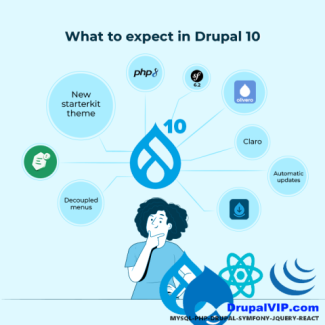
Drupal 10
React
React Example
React JS
Controlled Component
React Component
Uncontrolled Component
Code Snippet

Controlled Component

import React, { Component } from 'react';

class App extends Component {
    state = {
        message: ''
    }
    updateMessage = (newText) => {
        console.log(newText);
        this.setState(() => ({
            message: newText
        }));
    }
    render() {
        return (
            <div className="App">
                <div className="container">
                    <input type="text"
                        placeholder="Your message here.."
                        value={this.state.message}
                        onChange={(event) => this.updateMessage(event.target.value)}
                    />
                    <p>the message is: {this.state.message}</p>
                </div>
            </div>
        );
    }
}


How to pass a Function as a Prop

Props or properties in react are a functional argument by which different components communicate with each other. 
Props is just a data/information that allows us to pass in JSX tags. 
With the help of props, we can pass values like JavaScript objects, arrays or functions, etc.

DrupalVIP technical notebook & support

React Props
React Example
React Component
Code Snippet
React useState
React
React JS
Code Example
Module Development
Front-End
Drupal FrontEnd
Code Snippet
import React from "react";

function Course(props) {
  return (
    <div>
      <ul>
        <li>{props.courseName}</li>
      </ul>
    </div>
  )
}

function App() {
  return (
    <div>
      <h1>Guvi Courses</h1>
      <Course courseName="Full Stack Development"  />
    </div>
  );
}

export default App;

Fetch and display data from API in React js

When you develop an application, you will often need to fetch data from a backend or a third-party API. 
In this article, I will try to go through the process of fetching and displaying data from a server using React Fetch.

DrupalVIP technical notebook & support

Drupal Support
Drupal 10
React
React Fetch
React useEffect
React useState
React JS
Code Example
Code Snippet
Fetch Data
React Component
Code Snippet
import React, { useEffect, useState } from "react";

function handleClick() {
    alert('You clicked node ');
}

export default function RWTaskIssues({nodeid}) {        
    const FetchAPI = '/rwtask/issues?task=' + nodeid + '&op=get';
    console.log("api fetch: " + FetchAPI);
    
    const [issues, setIssues] = useState([]);
    const fetchData = () => {
        fetch(FetchAPI)
            .then(response => {
                return response.json();
            })
            .then(response => {
                console.log("response data: " + response.data.items);
                setIssues(response.data.items);
            });
    };

    useEffect( () => {
        fetchData();
    }, []) ;   
    
    console.log("issues data: " + issues);
    
    return (
        <div className="block block-layout-builder block-field-blocknoderwtaskfield-rwtask-issue">
            <h2 className="block-title">תיאור הבעיה</h2>
            <div className="block-content">               
                {issues.length > 0 && (
                    <div className="field field-name-field-rwtask-issue field-type-text-long field-label-hidden field-items">
                        {issues.map(item => (
                            <div key={item.key} className="field-item" dangerouslySetInnerHTML={{__html: item.value}} />
                        ) ) }
                    </div>
                )}
                <button onClick={handleClick}>
                    Edit
                </button>            
            </div>
        </div>
    );        
}

Drupal Can Work with React

DrupalVIP technical notebook & support
Integrating React and Drupal can help you create an interactive and engaging user experience as a developer. 
React gives a better user experience compared to jQuery, also when working with pop-up dialogs you will find that there are many issues with jQuery and Drupal some were not fixed yet.
Following I will explore all the tips and tricks for combining those two powerful tools. 


Drupal Support
Drupal 10
React
React JS
Decoupled Architecture
Progressively Decoupled Architecture
Fully Integrated

Drupal And React

Its time for a more powerful client-side with drupal, and we can do this with React

So, what is React and how can we integrate it with Drupal. I will try to answer both questions and more within this article.

React is a JavaScript library that makes it easy to create interactive user interfaces. 

Drupal is a content management system (CMS) with a powerful web services API.

Drupal
React JS
Front-End
React
javascript
Drupal 10

React vs Angular

What is React JS?

React is a Javascript library developed by Facebook which allows you to build UI components. It facilitates the creation of interactive User Interfaces. It also makes the code easier to understand and launch. React JavaScript framework uses server-side rendering to provide a flexible, performance-oriented solution.

React JS
Drupal
AngularJS
Front-End
javascript

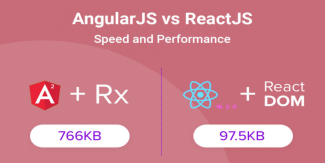
AngularJS Vs ReactJS comparison

Web development teams across the world highly prefer AngularJS and ReactJS.
However, technical decision-makers, like project managers and development managers face the dilemma of choosing between the two.
As you will agree, every business has its unique development needs. Therefore, there is no standalone framework that would suit the varied development needs.
We’ve attempted to offer a detailed comparison to support the business processes.

React
AngularJS
React JS
Front-End
theme development
Subscribe to React JS

The Freelancer Assistance

Drupal Training

drupal training session

Proactive Maintenance

Proactive Maintenance

Drupal Development

Drupal Development

Fullstack Service

Fullstack Service

Site Management

Site Management

Drupal Shared Space

Drupal Shared Space
Review All Services

Buy Hourly Support


Drupal platform support for complex websites. The service includes support, training, troubleshooting, fixes, updates, tool creation and module building.
* Minimum order is for 5 hours of support
* For every 20 hours of order you will be entitled to an additional hour of support
* For every 50 hours of order you will be entitled to 5 additional hours of support


>> Payment <<

 
cards

מופעל על-ידי paypal

Legal

  • Home
  • Contact
  • Products

Copyright © 2026 DrupalVIP - All rights reserved

Developed & Designed by Yuval Ben-Hur