User account menu

  • Log in

Breadcrumb

  • Home
  • Form API
Home
DrupalVIP
Freelancer service with great care and enthusiasm.

Main navigation

  • Home
  • Products
  • Blog
  • Support

Form API

Form API

Displaying 1 - 8 of 8

How to use the Form Radios

DrupalVIP Support

Custom forms sometimes need to include radio buttons, to create a selection option with few options.

Drupal 9
Drupal Support
Drupal 10
Radios
Custom Form
Form API
Form
Form Element
Code Snippet
$form['settings']['active'] = [
    '#type' => 'radios',
    '#title' => $this->t('Poll status'),
    '#default_value' => 1,
    '#options' => [
        0 => $this->t('Closed'),
        1 => $this->t('Active'),
    ],
]


How to create a "go back" or "cancel" button on the node add form?

DrupalVIP Support

sometimes you only need a 'cancel' button that will do an undo to just close the popup window


Drupal Support
Drupal 10
Drupal 7
Ajax Form
Form API
Form Element
Form Action: Cancel

Form Element 'table' with TableDrag and TableSelect

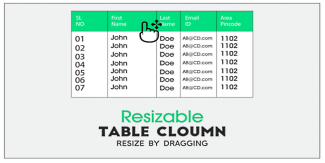
Building and rendering a table required writing a custom/dedicated theme function for most tables in Drupal 7.

Drupal 8 introduces a new element '#type' => 'table', which comes with built-in, optional support for TableDrag and TableSelect, and which requires no more custom plumbing for most use-cases.

Note: The following conversion example shows both TableDrag and TableSelect in a single table for brevity, but they are usually not combined in a single table.

Drupal 9
Code Example
FormStateInterface
render element
Form Table
Module Development
Form Element
Form API
tableselect
tabledrag
Url Example

Render-Element and Form-Element

Form elements are a subset of render elements, representing elements for HTML forms, which can be referenced in form arrays.
See the Render API topic for an overview of render arrays and render elements, and the Form API topic for an overview of forms and form arrays.

RenderElement
Drupal API
Module Development
Code Example
Form API
Form Element

Drupal Form Element Reference

Drupal core provides a couple dozen different input #type elements that can be added to forms. This includes one for every standard HTML5 input element, and some Drupal-specific ones that encapsulate more complex interactions like uploading files. But how can you know what elements exist? Where do you find information about what Render API properties each element uses?

Form Element
Form API
Module Development
HTML 5
Drupal
Code Example
Form Elements

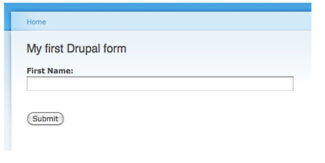
How to change an existing Drupal form

Changing an existing form is one of the first things that new Drupal developers will learn how to do. 

It is a natural extension from site building, where you might need to change one thing on a form created by a core or contributed module. 

One of the benefits of using the Form API to construct forms is that any module can alter any other module's form. 

In this tutorial, you are going to learn how to alter a Drupal form.

Drupal
Form Element
Form API
Drupal 9
Drupal 7
Module Development
Code Example

Building Forms Programmatically

Drupal provides a Form API in order to achieve consistency in its form processing and presentation while simplifying code and reducing the amount of HTML that a module must explicitly generate.

FormBuilder handles the low-level processing of forms such as rendering the necessary HTML, initial processing of incoming $_POST data, and delegating to your implementation of FormInterface to validate and process submitted data.

Form API
Module Development
Code Example
FormInterface
FormStateInterface
FormBase
Drupal 9

Advance Examples Which actually needed

This article is based on the O'Reilly article which is relevant to Drupal7 and some of it for Drupal8, but drupal did a lot of modifications since then, and I believe it's a good place to start with, but still should be modified to Drupal9 and on. from time to time I will fix this article and update it according to the last drupal version, you are all invited to send me remarks and suggestions.

These examples, I believe are most needed for the more advanced Drupal backend developer.

My development strategy recommendations are:

Views
Drupal 8
Plugin
Drupal 9
Drupal 7
Code Example
Module Development
Hook
Form API
Update Mechanism
Subscribe to Form API

The Freelancer Assistance

Fullstack Service

Fullstack Service

Proactive Maintenance

Proactive Maintenance

Drupal Training

drupal training session

Drupal Shared Space

Drupal Shared Space

Drupal Development

Drupal Development

Site Management

Site Management
Review All Services

Buy Hourly Support


Drupal platform support for complex websites. The service includes support, training, troubleshooting, fixes, updates, tool creation and module building.
* Minimum order is for 5 hours of support
* For every 20 hours of order you will be entitled to an additional hour of support
* For every 50 hours of order you will be entitled to 5 additional hours of support


>> Payment <<

 
cards

מופעל על-ידי paypal

Legal

  • Home
  • Contact
  • Products

Copyright © 2026 DrupalVIP - All rights reserved

Developed & Designed by Yuval Ben-Hur